7 best content approval workflow tools




Summarize with





Content approval workflow tools help marketing and creative teams move every piece of content from looks good to me to final approval without endless Slack threads, buried feedback, or version-control chaos. The approval software you should be looking for gives your content teams a structured approval process, clear approvers, and automation that keeps creative assets moving with no delays.
Because we know what issues you may face daily, we made this guide and compared 7 of the best content approval workflow tools for review and approval, workflow automation, and faster content creation. Whether you need a simple approval flow or a scalable approval workflow across multiple teams and clients, you’ll find the right tools to streamline your workflow right here. Let’s get deeper into it.
The best creative automation tools compared
So, we know that not all approval tools solve the same problem. Some focus almost entirely on review and approval, while others combine content creation, workflow automation, project management, and approval in one system.
Here’s a quick comparison of the 7 content approval workflow tools we think you should check out that made it to our list:
The biggest difference comes down to where approval sits in your workflow, so that should be your starter clue. Dedicated approval software such as Filestage, Ziflow, and Approval Studio is built primarily around reviewing finished or near-finished creative assets. Project management software like monday.com and Trello can create an organized workflow for approvals, but you’ll need to configure much of the approval flow yourself.
Plainly Flows takes a different approach: the approval stage sits inside the creative production workflow itself. Teams can automate content production, add multiple approvers where needed, enforce brand rules, and prevent an asset from moving forward until everyone who needs to approve it has signed off. But let’s look into all of it with a lot more detail.
1. Plainly Flows - Best for automating content production and approval in one workflow
Plainly Flows is a creative automation platform for teams that want to do more than send finished assets through an approval tool. It does it all. Connects content creation, generation, review, approval, and delivery in one workflow, so the approval process becomes part of production rather than another task waiting at the end.
That distinction matters when you produce content at scale. Instead of generating 50 assets, exporting them, sharing them for review, chasing approvers, and then figuring out which version received final approval, Plainly Flows keeps the entire approval flow connected.
Key features
- Built-in multi-step approval with human review: Add approval stages directly to your creative workflow and involve the right people at each step, whether that’s designers, marketers, legal teams, brand managers, regional teams, or clients. The workflow pauses for human review and only continues once the required approvers sign off.
- Creative workflow automation: Plainly Flows can automate repeatable production for videos, images, banners, localized campaigns, and other visual content, including AI generation steps that create or adapt assets inside the workflow instead of only moving data between software tools.
- Brand guardrails: Teams can define brand rules and apply them across automated workflows, helping each piece of content stay within approved colors, logos, messaging, and other brand requirements.
- Hand off workflows as simple forms: Turn any workflow into a simple form and share it with anyone who needs to create content from it. Users can submit the required inputs without touching the workflow itself, making it easier to scale content creation across teams, clients, or other stakeholders.
- Works with existing creative tools: Teams can use existing templates and connect tools they already rely on rather than rebuilding their entire content creation process inside a new platform.
Plainly Flows is especially useful for marketing and creative teams with a scalable approval workflow. If your approval workflows often involve dozens or hundreds of variations, different markets, several reviewers, and strict brand requirements, its combination of production automation and structured approval removes much of the manual handoff.
Pricing
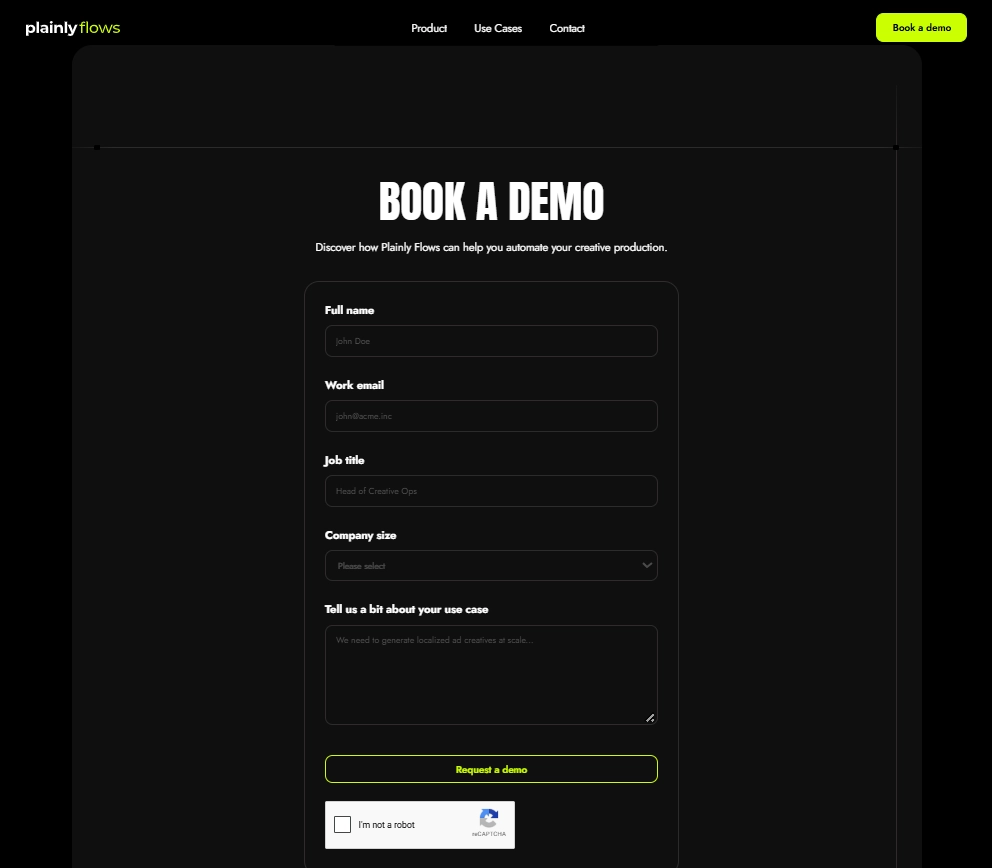
Plainly Flows uses custom pricing based on the team and creative production setup. The platform is currently available through early access, and teams can request access or book a demo to discuss their workflow.
2. Filestage - Best for structured review and approval
Filestage is content approval software built for you if you need to collect feedback, manage versions, and move creative assets through a clear review and approval process. It works especially well when multiple stakeholders need to comment, request changes, and give final approval without turning email threads into a detective story.
Key features
- Centralized review and approval: Upload files, invite reviewers, collect comments, and keep every approval request in one place.
- Reviewer groups: Organize approvers into different stages, such as marketing, legal, brand, or client approval.
- Annotations and comments: Reviewers can leave precise feedback directly on videos, images, documents, and other types of content.
- Version control: Teams can compare revisions and keep track of which version is currently waiting for approval.
- Approval tracking: Teams can see what has been approved, what still needs changes, and where each asset sits in the approval workflow.
Filestage is a strong fit for creative teams that already have a content creation process and mainly need better approval management around it. Its structured approval workflow helps reduce scattered feedback and makes every approval step easier to track.
Pricing
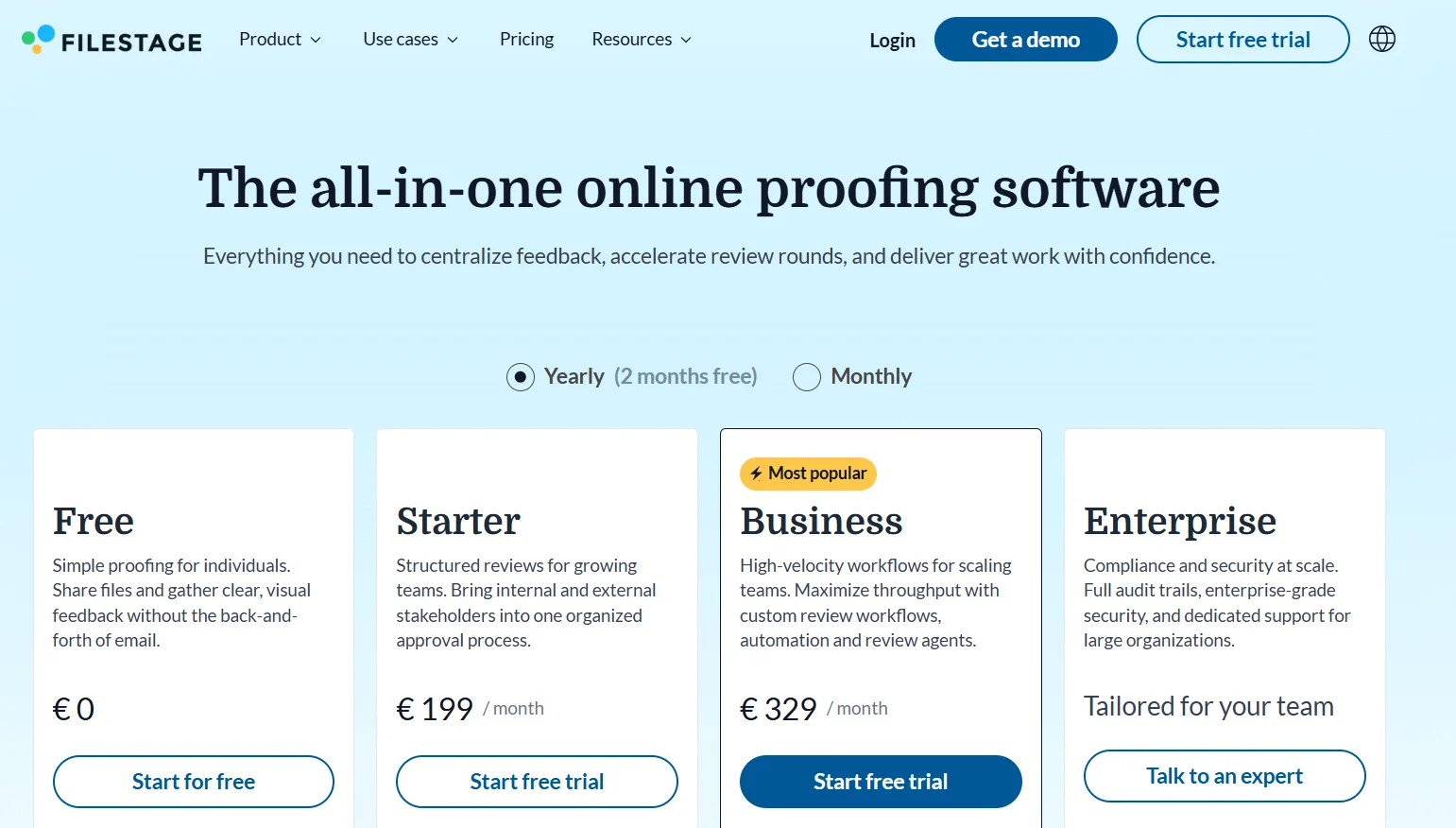
Filestage offers a free plan, while paid plans start at around €199 per month, depending on features and team requirements. Larger teams can also request custom pricing.
3. Ziflow - Best for complex creative approval workflows
Ziflow is approval workflow software built for creative teams that manage high volumes of campaigns, assets, and stakeholders. Its biggest strength is control: you can build custom approval workflows, define who reviews what, and keep even a complicated approval process from becoming a literal maze.
Key features
- Custom approval workflows: Build multi-step approval flows for different teams, clients, campaigns, or asset types.
- Automated approval routing: Send each approval request to the right reviewer based on predefined rules and stages.
- Visual proofing: Reviewers can comment and annotate directly on images, videos, PDFs, web pages, and other creative assets.
- Version comparison: Compare revisions side by side and see exactly what changed between versions.
- Workflow automation: Automate reminders, status updates, reviewer assignments, and other repetitive steps in the review and approval process.
Ziflow makes the most sense when a simple approval setup is no longer enough. For example, a campaign might need internal approval from a copywriter and designer, marketing approval from a manager, legal review, and then client approval before anything goes live. Ziflow lets you turn that sequence into a repeatable, automated approval workflow.
Pricing
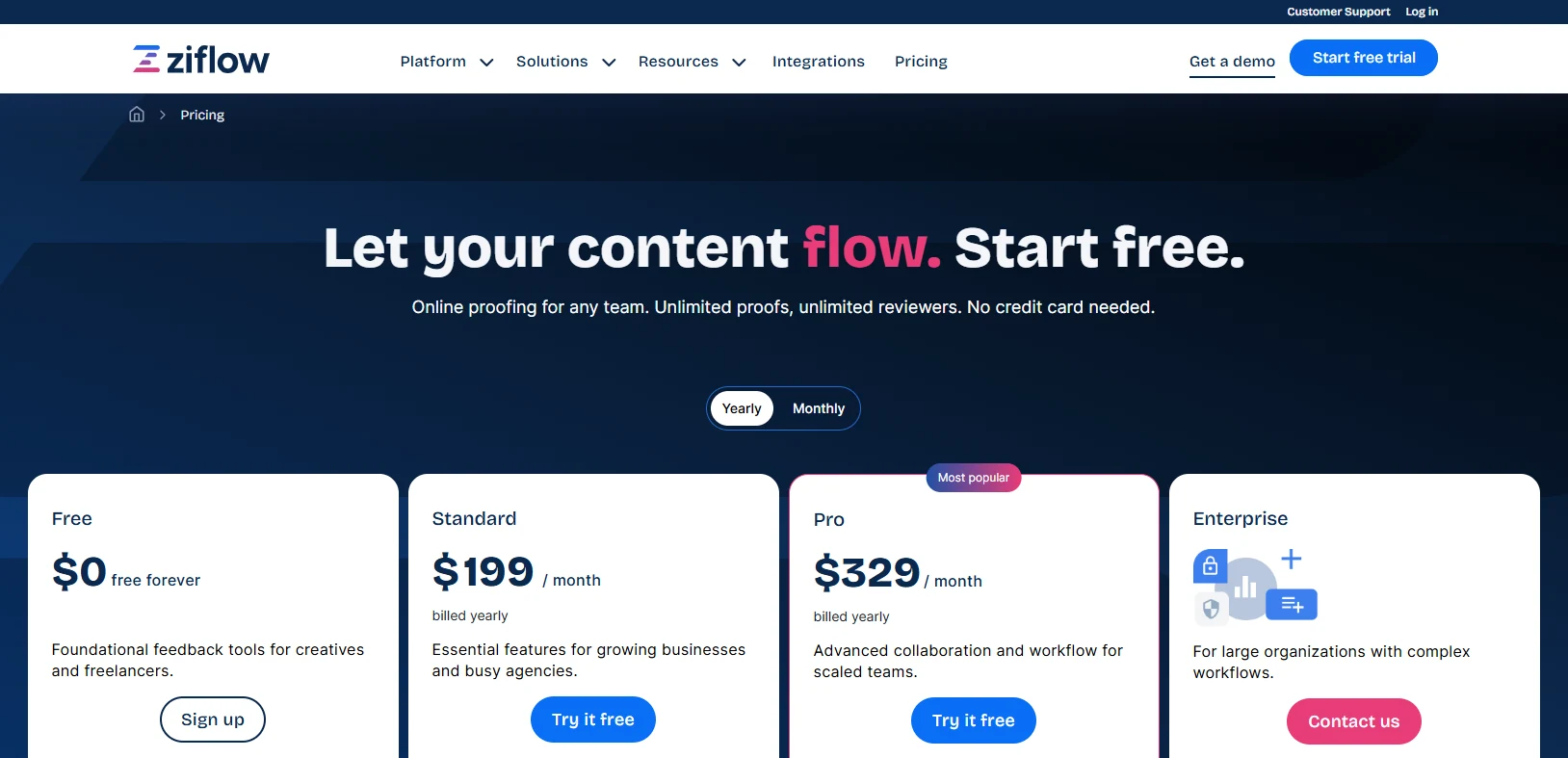
Ziflow offers a free plan for basic proofing. Paid plans start at around $199 per month when billed annually, with higher tiers and custom pricing available for teams that need more advanced approval workflow automation and enterprise features.
4. Frame.io - Best for video review and approval
Frame.io is a collaboration and approval platform built around video and other visual content. It gives editors, producers, clients, and other approvers one place to review cuts, leave precise feedback, compare versions, and approve content without relying on vague comments like “change that bit around 00:43.”
Key features
- Frame-accurate feedback: Reviewers can leave comments on an exact video frame, which makes the review and approval process much more precise.
- Visual annotations: Draw directly on the frame to show exactly what needs to change.
- Version management: Keep different edits together and compare revisions without losing track of which version is current.
- Notifications and status updates: Teams can quickly see when a new version is ready or when an approval stage has been completed.
- Creative integrations: Frame.io connects with tools such as Adobe Premiere Pro, After Effects, and Plainly Videos, helping editors and creative teams keep production, automation, and feedback closer together.
Frame.io is especially useful when your approval process includes video editors, producers, marketers, and clients who need to discuss highly visual details. For video-heavy content teams, attaching feedback directly to the asset can make an efficient approval process far easier than working from timestamps copied into a spreadsheet.
Pricing
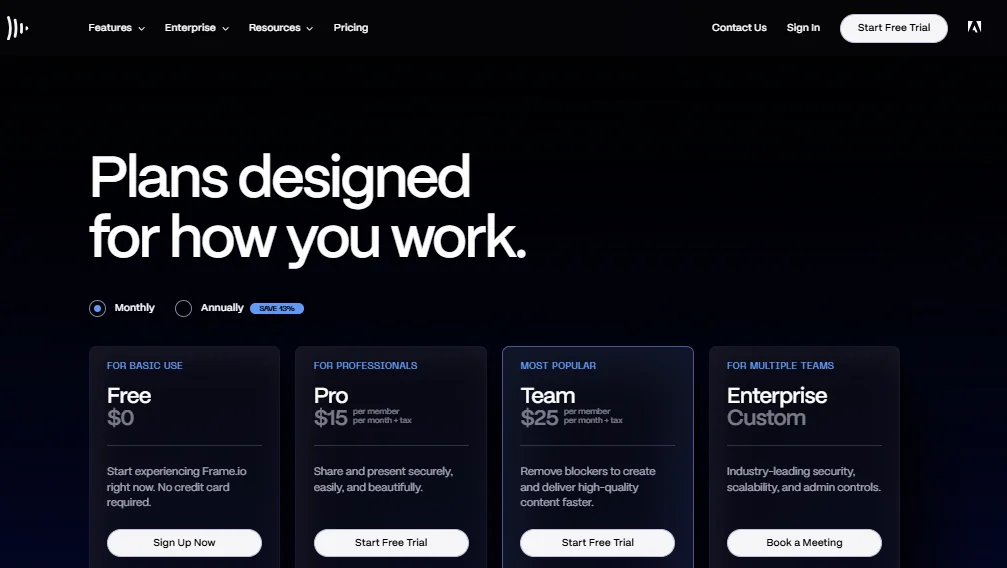
Frame.io offers a free plan, while paid plans start from around $15 per member per month. Larger teams can choose higher-tier plans depending on storage, collaboration, security, and workflow requirements.
5. monday.com - Best for flexible approval workflows inside project management
monday.com is project management software that you can adapt into an approval workflow for marketing, content, design, and other business processes. It is not dedicated content approval software, but its flexibility makes it useful if you want approval to live alongside deadlines, owners, campaign status, and the rest of their work.
Key features
- Custom approval workflows: Build approval stages with boards, status columns, owners, dependencies, and custom fields.
- Workflow automation: Automate notifications, assignments, status changes, and reminders when an item reaches a specific approval stage.
- Approval routing: Send work to the right approvers based on status, team, or predefined workflow rules.
- Integrations: Connect monday.com with tools such as Slack, Google Drive, Microsoft Teams, and Adobe Creative Cloud.
- Reusable templates: Create repeatable workflows for marketing approval, social media content, creative requests, or other recurring processes.
monday.com works well when approval is only one step in a larger content creation workflow. For example, a blog post can move from brief to draft, content review, internal approval, design, and publication without leaving the same board.
Pricing
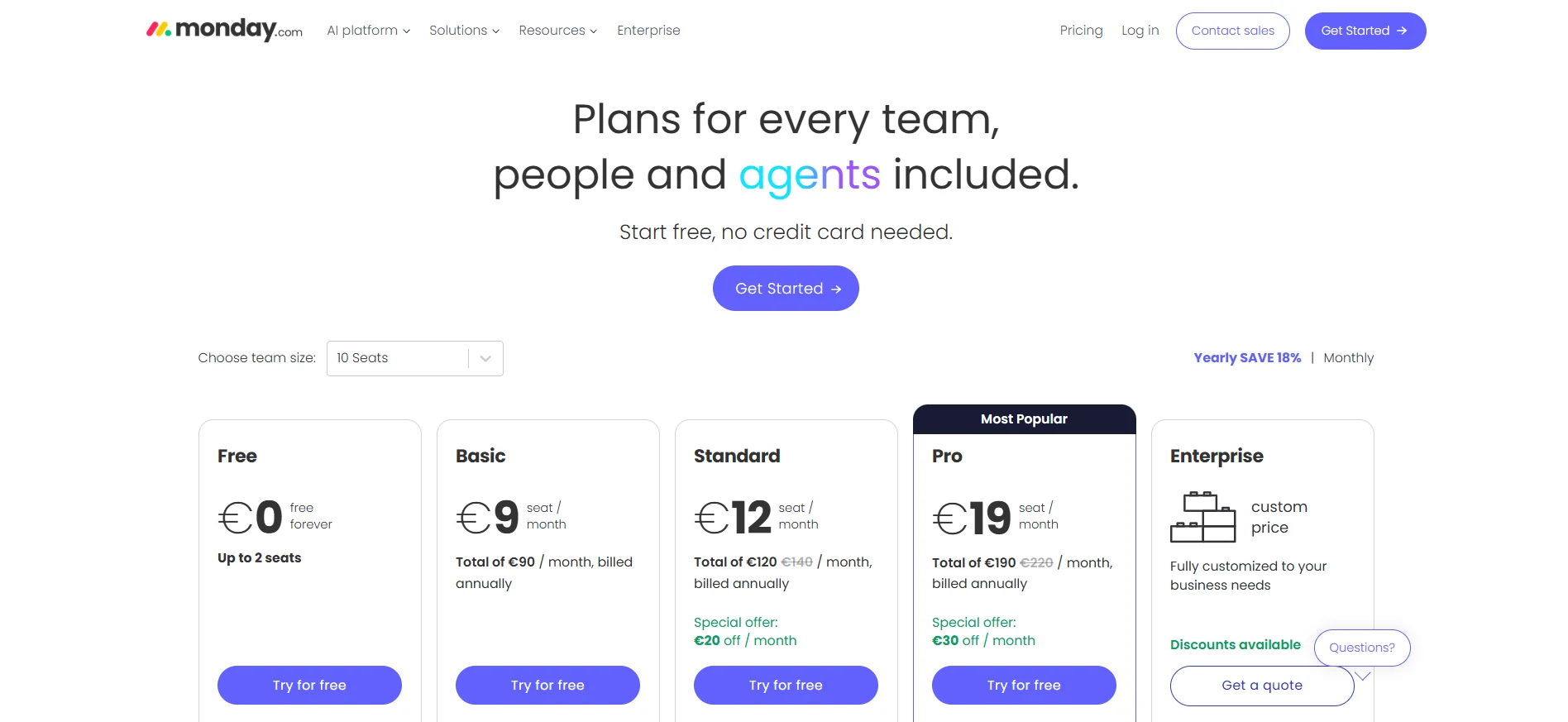
monday.com offers a free plan for up to two seats. Paid plans start at around $9 per seat per month when billed annually, with higher tiers adding more automation, integrations, dashboards, and workflow management features.
6. Trello - Best for simple, visual approval workflows
Trello is a lightweight project management tool that teams can turn into a simple approval workflow using boards, lists, cards, checklists, and automation. It works best for smaller content teams that want a clear visual way to move work from “draft” to “needs review” to “approved” without investing in dedicated approval software.
Key features
- Visual approval flow: Create lists for each stage of the approval process, such as Draft, In Review, Changes Requested, and Approved.
- Cards and checklists: Keep briefs, files, comments, due dates, and approval requirements attached to each piece of content.
- Workflow automation: Use Trello’s built-in automation to move cards, assign reviewers, set due dates, or trigger notifications automatically.
- Comments and attachments: Keep feedback and supporting files together instead of spreading the review across different channels.
- Templates: Build repeatable boards for a social media approval process, blog production, campaign reviews, or other content workflows.
Trello is a good fit when the approval process includes only a few people and doesn’t require advanced proofing, approval routing, or complex multi-step approval logic. A content creator can move a card into “Ready for Review,” tag an approver, collect feedback, and move it to “Approved” once everyone is happy.
Pricing
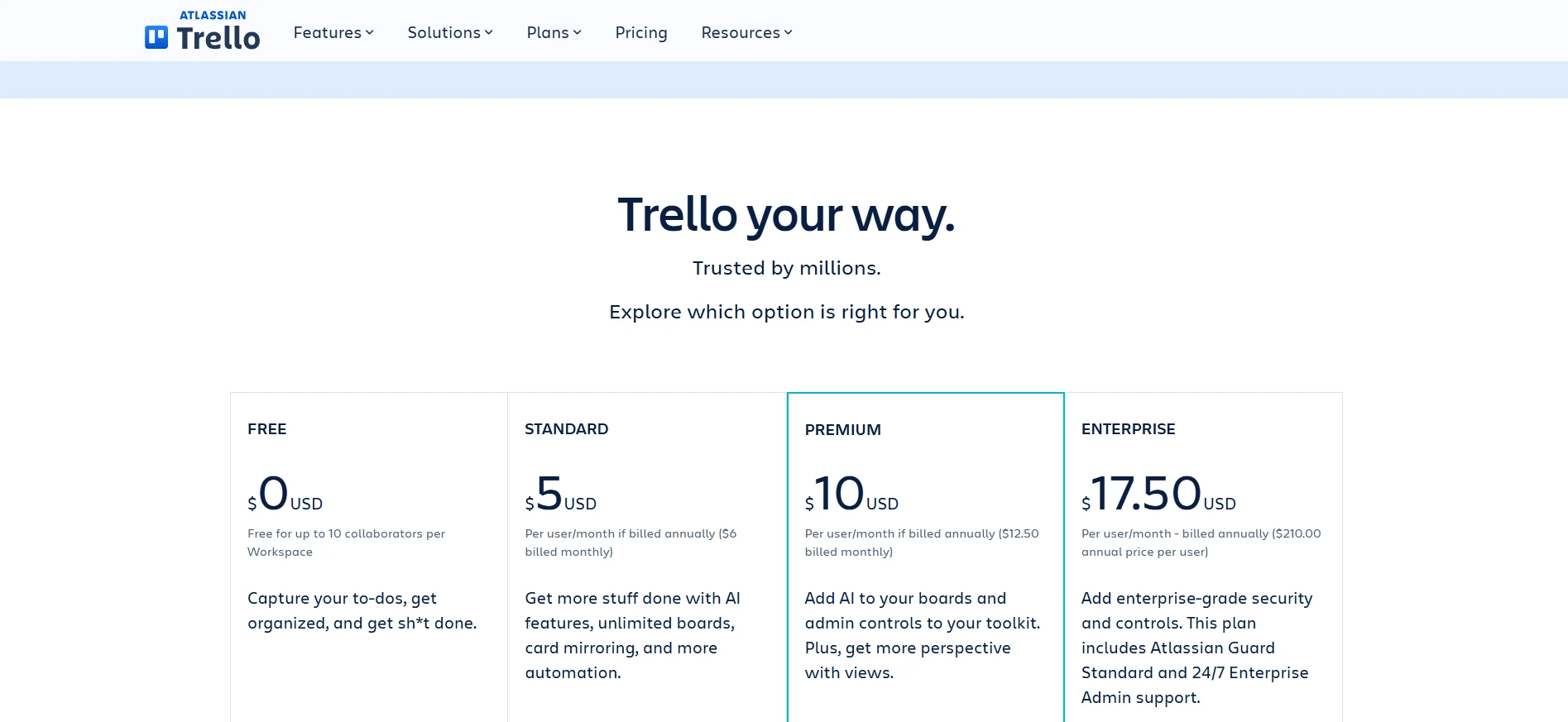
Trello offers a free plan, while paid plans start at around $5 per user per month when billed annually. Higher tiers add more views, automation, administration, and workspace controls.
7. Approval Studio - Best for visual proofing and client approval
Approval Studio is approval software built specifically for visual review, proofing, and client approval. It’s a strong fit for design-heavy teams that need to compare versions, collect precise feedback, and document every approval without bouncing between email, chat, and file-sharing tools.
Key features
- Visual annotations: Reviewers can add comments and mark up images, PDFs, videos, documents, and other creative assets directly in the review interface.
- Four comparison modes: Compare versions side by side or use Fader, Difference, and Toggle modes to catch even small design changes.
- Website and video review: Teams can review live web pages as well as MP4 video files, making the platform useful across different types of content.
- Creative production tools: Features such as barcode scanning, an on-screen ruler, color-related checks, and Adobe Creative Cloud integrations make Approval Studio particularly useful for packaging, print, and artwork-heavy workflows.
- Integrations and automation: Pro plans support Zapier, REST API, GraphQL API, Adobe Creative Cloud, Shopify, and other integrations that can connect approval with a wider creation workflow.
Approval Studio makes the most sense when visual accuracy is the main issue in the approval process. A designer can upload a new version, stakeholders can point to exactly what needs changing, and the team can compare revisions before giving final approval.
Pricing
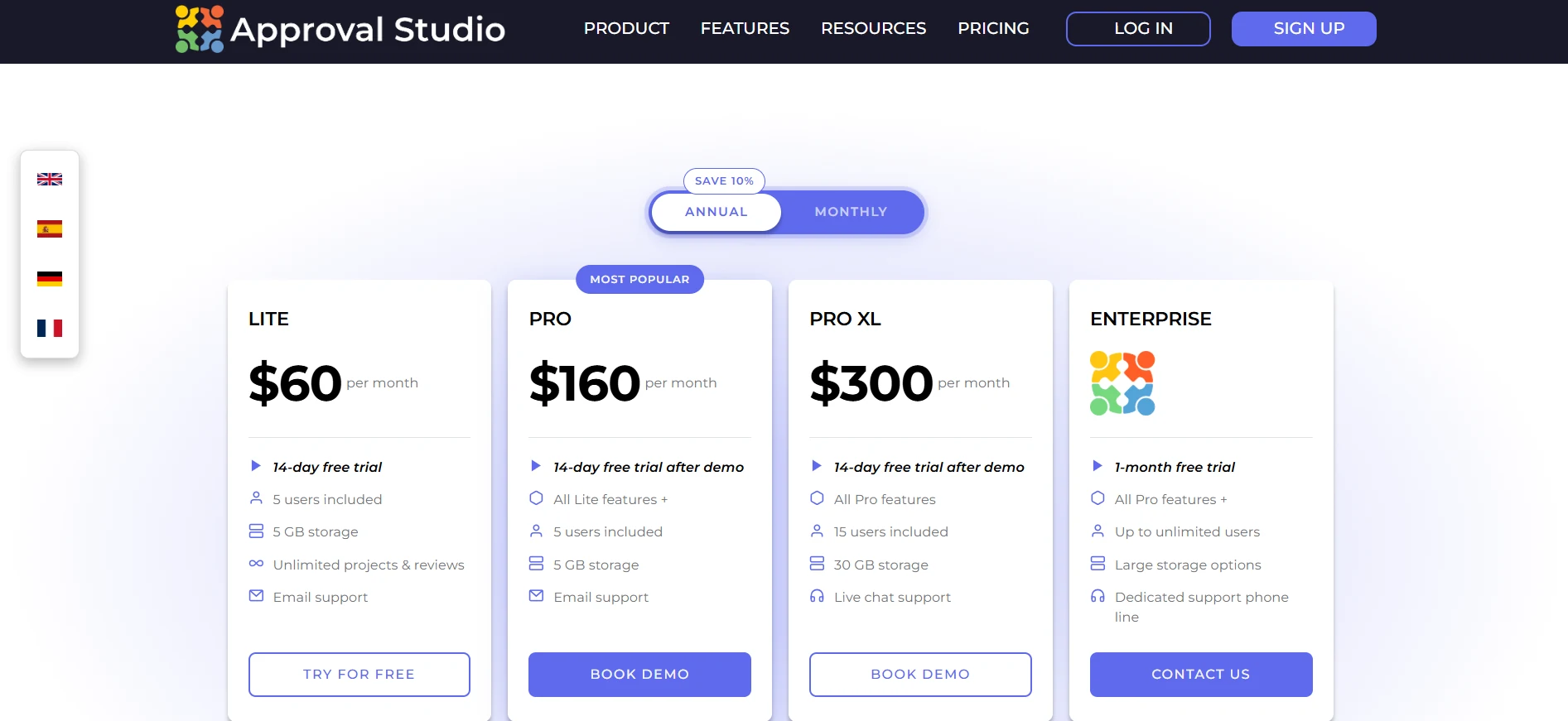
Approval Studio’s Lite plan starts at $60 per month and includes five or more users. Pro starts at $160 per month, Pro XL at $300 per month, and Enterprise pricing is available on request. Paid plans include a 14-day free trial.
Ready to streamline your workflow?
The right content approval workflow tools should make approval feel like part of the process, not the point where everything suddenly slows down, right?
For some of you, that means better visual proofing. For others, it means clearer approval routing, fewer follow-ups, or a more structured way to manage multiple approvers. But in the end, the best setup is the one that removes friction without adding another layer of manual work.
That’s where Plainly Flows takes a different approach. We know - we made it that way. Instead of treating approval as a separate step after content creation, it brings automation, production, review, and approval into the same workflow. You can automate repetitive work, keep human approval where it matters, and move content forward without constant handoffs between tools.
So, if you want to streamline your workflow, reduce approval issues, and get more content approved and out the door faster, book a demo with Plainly Flows and start streamlining your workflows today.